


AppSales
4.42.14K Reviews
App Specs
- Version
- 12.3
- Updated On
- License
- Free
- Downloads
- 1,000,000+
- Developer
- ts-apps
- Categories
- Shopping
- Platform
- Android
Screenshots
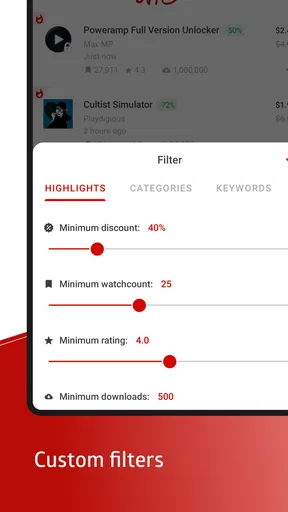
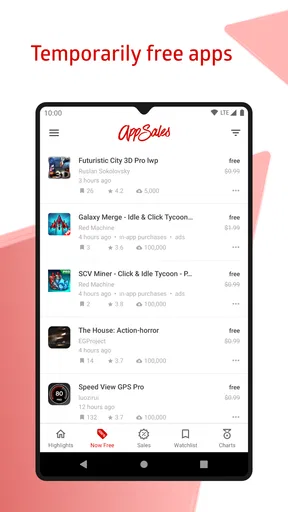
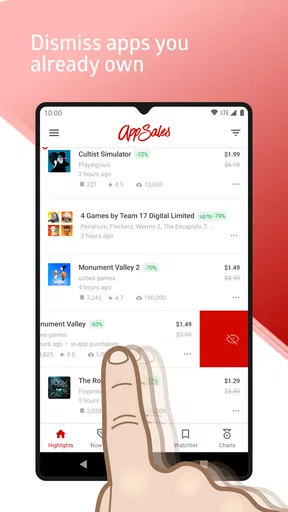
 Analysis by AppCompare
I approach app-sale trackers with a little caution: a discount is only useful if it leads me to something I actually want, and I prefer to know what I’m tapping before I install or buy. AppSales is a shopping app from ts-apps focused on discovering temporary price cuts and free offers for Android apps and games. Its appeal is straightforward, but the useful question is whether it helps me make calmer decisions rather than simply encouraging impulse purchases.
A deal tracker, not a shopping destination
I find the app most useful as a place to notice offers, not as a replacement for the Play Store itself. The usual alternative is to browse the store directly, search for a particular app, or rely on general deal sites. Those approaches can work, but they often require you to know what you want or to keep checking. A dedicated tracker is better suited to browsing current reductions and keeping an eye on specific titles.
That difference matters if you’re interested in occasional paid apps but don’t want shopping to become a daily habit. I would open the tracker when I have a particular need or a few minutes to explore, then use the Play Store to check the app’s current details before deciding. Treating a sale as a prompt to investigate—not as a reason to buy—is the most sensible workflow.
Who is likely to get value from it?
The strongest fit is someone who already has a shortlist of apps or games they would genuinely use and is happy to wait for a price drop. A practical example: I might want a particular paid puzzle game for a commute, add it to a watchlist, and wait for an alert rather than searching for it every day. The benefit is less about collecting bargains and more about letting a wanted purchase come to me at a better moment.
It can also suit curious Android users who enjoy discovering unfamiliar apps, provided they’re willing to do a little checking before installing. If you mainly use free apps, rarely buy anything, or prefer to choose software only after a detailed review, the tracker may not earn a regular place in your routine. Browsing discounts can create noise as easily as it creates useful discoveries.
How I would use alerts without letting them take over
I’d begin with a small watchlist rather than turning on every sale notification. That keeps alerts connected to things I have already considered, instead of making every new discount compete for attention. If you’re monitoring several kinds of apps, category preferences can narrow the stream; the trade-off is that a broad setup may surface more possibilities but also more distractions.
Price history is useful as context, not a promise about what will happen next. I would look at it to judge whether today’s offer seems unusual compared with that app’s earlier pricing, then decide based on my actual need and budget. A chart can help resist the feeling that every marked-down price is a once-only opportunity, but it cannot tell you whether the app is worth using.
Worth Reading Before You Choose

EA SPORTS FC Mobile 26 Is a Bigger Football Game, but It Takes Time

Flipboard Shows What News Apps Must Do Beyond the Feed

Switching to Android Auto Means Rethinking Your Driving Routine

Google Calendar Makes a Crowded Week Easier to Manage

Ludo King Makes the Most of the Minutes Between Plans

Baby Panda World Brings Quick Play to Modern Phones, but Its Game Library Feels Busy
Checking the decision before installing
A deal listing is only one part of a purchase decision. Before I install anything, I’d review the app’s Play Store page for its current description, compatibility, permissions, and recent feedback. That is especially worthwhile for lesser-known titles: a low price does not answer whether an app works well on your device or asks for access you are comfortable granting.
The same care applies to free offers. “Free” can make a download feel consequence-free, but installing software still takes device space and may involve permissions or other choices. I would check those details just as I would for a paid app, and avoid installing something merely because its price has temporarily changed.
Discovering Deals Made Easy
First things first, the setup is a breeze. After downloading AppSales, you’ll be prompted to customize your preferences. This is where the magic happens. You can choose from a variety of app categories, ensuring you only get notifications for the types of apps you actually care about. No more irrelevant deals clogging up your notifications. I mean, who needs another cooking app when you’re more of a gaming enthusiast, am I right?
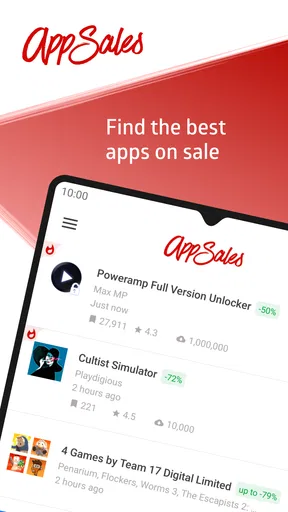
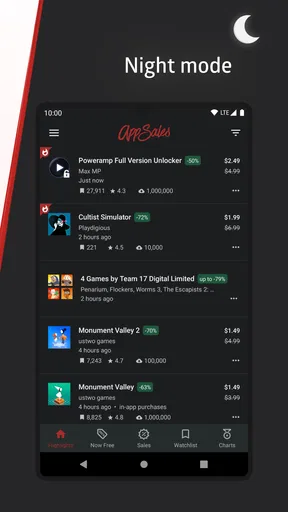
Once set up, the home screen presents you with a clean and user-friendly interface. Right off the bat, you’ll see a list of current app discounts. Each entry shows the original price, the discounted price, and the percentage saved. It’s like having a personal shopper, but without the awkward small talk.
Features That Stand Out
One feature that caught my eye is the price history chart. Ever bought an app on sale only to find it even cheaper the next day? Yeah, me too. With AppSales, you can view the price history of an app, helping you decide if it’s truly a good time to buy or if you should wait it out. It’s a game-changer for anyone who loves to strategize their purchases.
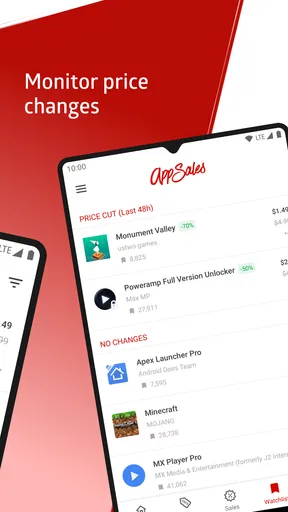
Another nifty feature is the watchlist. You can add apps to this list and receive notifications as soon as they go on sale. No more checking daily or missing out on a deal because you forgot to look. It’s all automated, giving you more time to focus on other important things, like figuring out how to beat that next level in your favorite game.
Stay Informed with Alerts
The alert system is as smart as it gets. Customize your notifications to receive updates on new sales, or switch it up and only get notified about items on your watchlist. Personally, I find the watchlist notifications to be the sweet spot. It’s like having a personal assistant who only tells you the things you want to hear.
And let’s not forget about the curated collections. These are lists of apps that are currently on sale, grouped by theme or category. It’s perfect for those moments when you’re in the mood to explore but don’t quite know where to start.
Why You’ll Love It
What really sets AppSales apart is its community-driven approach. Users can rate and review the deals, giving you insights into whether an app is worth the purchase. It’s like having a mini-review section built right into the app, saving you a trip to the Play Store.
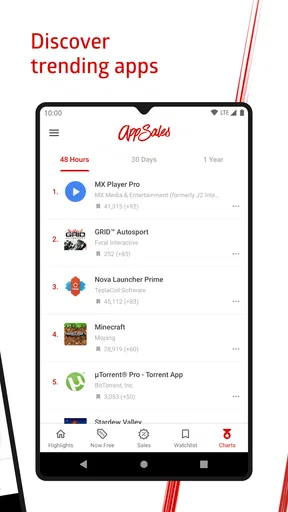
And if you’re worried about missing out on quality deals, fear not. The app features a "Best Sales" section that highlights significant discounts on top-rated apps. It’s like having the crème de la crème of app sales at your fingertips.
Trust, controls, and sensible boundaries
For me, trust is less about assuming an app is safe and more about making informed choices. The app has a 4.4 average from around 38,000 ratings, which offers a broad snapshot of user opinion, but that number cannot establish whether a particular offer or linked app is right for you. I would still inspect the destination app’s details before installing or paying.
AppSales is free to download, is rated for Everyone, and has optional in-app purchases ranging from $0.99 to $3.99 per item. I’d treat those purchases as a separate decision from any discounted app shown in the tracker. A sale alert does not mean you need to buy anything inside AppSales, and I would check the purchase prompt carefully before confirming any transaction.
The developer is ts-apps, and the app has been available since April 14, 2012. It has over one million installs and is currently at version 12.3, with Android 5.0 as the minimum operating system. Those details help set expectations about platform and maturity; they are not a substitute for reviewing the app’s current permissions or privacy information on its store page.
What to check when your information is involved
Discount discovery can involve several distinct steps: browsing an offer, opening a store page, installing a separate app, and possibly creating an account or making a purchase there. I would consider each step on its own. Before granting permissions, I’d ask whether they make sense for the app I’m installing, and I’d skip or restrict access that feels unrelated to its purpose.
If you’re careful about notifications, start with the narrowest alert settings that still help you. If you change your mind, revisit the app’s notification controls in Android settings and switch off anything that becomes distracting. This is a simple way to keep the tracker useful without letting it dictate when you shop.
One practical habit is to keep a short note of why an app made your watchlist—perhaps a specific feature you need or a game you already planned to try. When an alert arrives, that reason gives you a quick test: do you still want it, and does the offer justify buying now? If not, letting the sale pass is a perfectly good outcome.
Where the bargain-hunting approach falls short
The main limitation of any sale tracker is that the best price is not the same as the best purchase. A discount can make an unfamiliar app look more appealing than it is, while a useful app may not be on sale when you need it. If you need a dependable tool immediately, searching for the right app and comparing current alternatives is better than waiting for an alert.
There is also a difference between finding an offer and evaluating the full product. Community reactions and curated collections can help you decide what to inspect, but I would not treat them as a replacement for checking the app’s own store page. Reviews can be personal, and a recommendation that suits another user may not fit your device, workflow, or comfort level.
For someone who prefers a single, carefully researched recommendation, a trusted editorial review may be more helpful than a stream of changing discounts. For someone who enjoys browsing and can resist purchases that do not match a real need, AppSales offers a more convenient way to spot opportunities. The right choice depends on whether discovery feels useful to you or becomes another source of temptation.
Final Thoughts
In a world where every penny counts, having an app like AppSales is invaluable. It’s not just about saving money; it’s about making informed decisions and getting the most bang for your buck. Whether you’re a casual user or a hardcore app enthusiast, this app provides a seamless and efficient way to keep track of the best deals out there.
So, if you’re ready to take your app shopping to the next level, give AppSales a try. Who knows? You might just find your next favorite app without breaking the bank. Happy deal hunting!
My cautious verdict
I’d recommend it to Android users who already know what they’re interested in, enjoy browsing offers, and are willing to verify details before installing. The watchlist and price history make more sense when they support a deliberate purchase than when they encourage constant deal-checking. I’d skip it if deal notifications would make me spend on apps I had not planned to buy, or if I need an immediate, thoroughly vetted recommendation.
Used with a narrow watchlist and a quick check of each app’s store page, it can be a handy shopping companion rather than a reason to buy more. I’d let it surface possibilities, keep control of alerts and purchases, and make the final call based on what I actually need.
Pros
- User-friendly interface for easy navigation.
- Alerts for app discounts and price drops.
- Comprehensive app history tracking features.
- Minimal ads for a smoother experience.
- Supports multiple currencies for global users.
Cons
- Limited to Google Play Store apps only.
- Requires account for advanced features.
- Occasional notification delays.
- No direct purchase links available.
- Interface can feel cluttered at times.
FAQs for AppSales
What is AppSales and how does it work?
AppSales is an application that helps users discover discounted apps and games on the Google Play Store. It tracks price drops and alerts users to deals in real-time. With a clean interface, it provides a comprehensive overview of current sales, allowing users to save money by purchasing apps at reduced prices.
Is AppSales free to use, and are there any in-app purchases?
AppSales is free to download and use. However, it offers a premium subscription that unlocks additional features such as advanced filters, ad-free browsing, and price history charts. This subscription enhances the user experience by providing more personalized and detailed sale notifications.
How does AppSales notify users about new deals?
AppSales provides real-time notifications to alert users about new deals and price drops. Users can customize these notifications based on their preferences, such as specific app categories or price ranges. This ensures that users are promptly informed about discounts on apps they are interested in.
Can users track the price history of apps using AppSales?
Yes, AppSales offers a price history feature that allows users to view the historical price changes of apps. This helps users make informed purchasing decisions by showing whether the current sale price is the lowest it has been or if they should wait for a better deal.
Is AppSales available for iOS users as well?
Currently, AppSales is designed specifically for Android users and is available on the Google Play Store. It is tailored to track discounts and sales on the Android platform, and there is no official iOS version at this time. Users with Android devices can fully utilize its features.


